

- Shop
-
- Brand
- Special Promotions
- About Us
- Contact Us
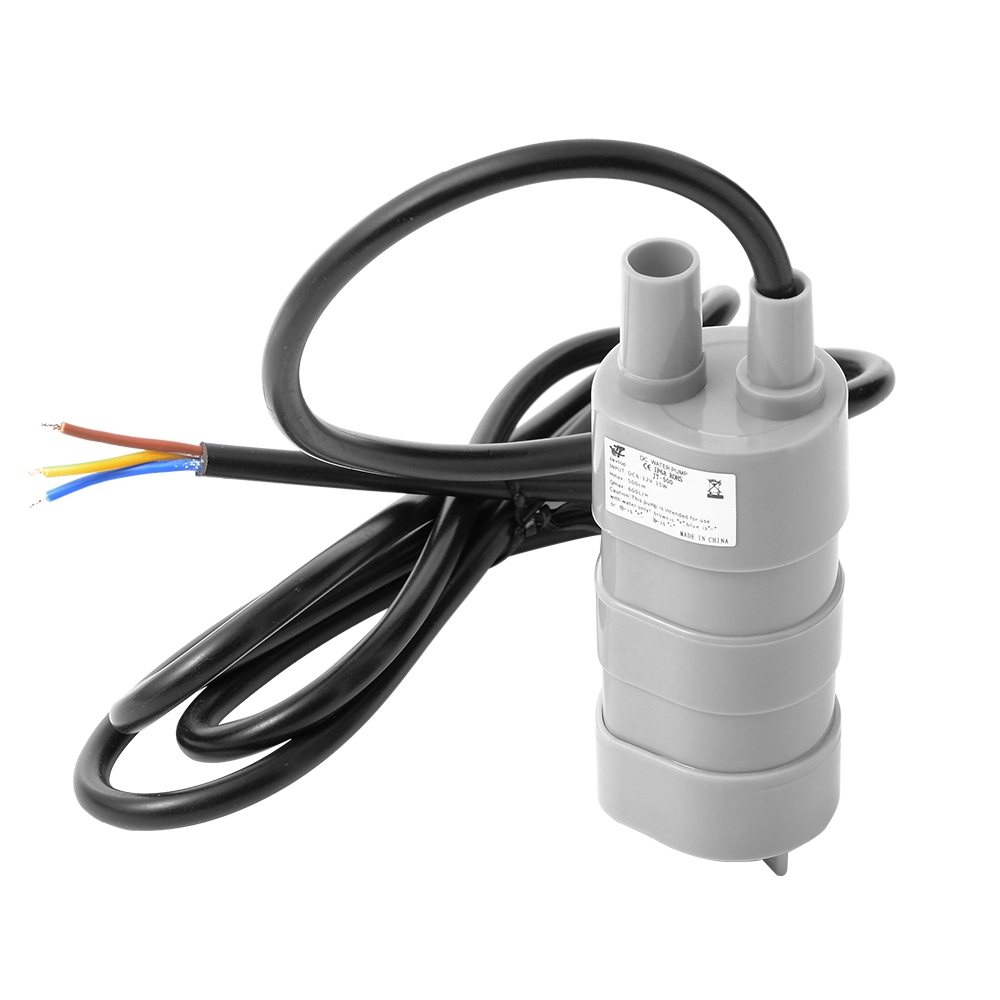
DescriptionAutomating a small desktop plant is one thing, but running a full-scale hydroponics rack, a backyard water feature, or an active cooling loop requires serious fluid dynamics. The 12V Submersible Water Pump provides exceptional flow rate and lifting power, allowing your custom microcontrollers to manage large-scale fluid transfers effortlessly.Massive Lift and Flow (The 5-Meter Head)The standout feature of the JT-500 is its “Head” or “Lift” rating. While standard hobby pumps struggle to push water up a 1-meter tube, this 12V pump can force a column of water up to 5 meters vertically. Coupled with a maximum flow rate of 600 Liters per Hour, it is perfectly suited for pumping nutrient reservoirs from the floor up to the top tier of a vertical farming rig.Submersible Cooling (Important Anti-Burn Warning)This is a fully sealed, IP68-rated submersible pump. It is designed to be dropped directly into the bottom of your water tank. Do not run this pump dry. The internal high-speed motor relies entirely on the surrounding water to act as a coolant. Running the pump while it is exposed to the air will cause the internal seals to melt and permanently destroy the motor within minutes.Wiring and Powering the PumpThis pump operates on 12V DC and draws approximately 1.2 Amps (15W) under load. You absolutely cannot power this from a microcontroller. To safely integrate this into your smart system:Connect the pump to a dedicated 12V DC power supply or a heavy-duty 12V battery.Use a 12V Relay Module or a high-current MOSFET connected to your logic board to act as the electronic switch.Wiring Color Code: Generally, the Brown wire is Positive ( ), the Blue wire is Negative (-), and the Yellow/Green wire is Earth/Ground (which is often left disconnected in simple low-voltage DC setups). Always check the printed label to confirm before applying power.Key Features:No Priming Required: By sitting at the bottom of your reservoir, it is always primed and ready to push water instantly.High Efficiency: Delivers incredible flow for only 15 Watts of power consumption.Heavy-Duty Cable: Comes with a thick, insulated, water-safe power cable ready to be stripped and wired into your control box.Technical Specifications:Model: JT-500Input Voltage: 6V to 12V DCPower Consumption: 15WMaximum Flow Rate (Qmax): 600 L/HMaximum Lift/Head (Hmax): 500cm (5 Meters)Waterproof Rating: IP68Pump Dimensions: ~98mm (Length) x 38mm (Diameter)Ideal Applications:Smart greenhouse automated irrigation and hydroponic nutrient cyclingCreating custom DIY water fountains and pond circulation systemsRV and camper van water dispensing systemsActive liquid cooling loops for high-power electronics or serversGetting started with the 12V DC Water/ Fluid PumpIn this tutorial, we are going to learn how you can control your water pump in irrigation system and other elsewhere pump is needed. Once the pump it powered with 12v supply it will work by the switching from the relay and with the coordinator called Arduino UnoHardware required Arduino UnoSingle channel relay12V DC Water/ Fluid PumpJumpers12v power adapterConnecting the HardwareThe Brown cable of Water pump is the Positive Pole “ ”The Blue cable of Water pump is Negative Pole “-“The Yellow cable of Water pump is GNDRespect the pin connections as followConnect the negative of power supply to the blue cable of pumpConnect positive of supply to NO of relayConnect brown cable of pump to COM of relayConnect VCC from relay to 5v of Arduino UnoConnect GND of relay to GND of ArduinoConnect IN from relay to A5 of ArduinoUploading the code const int RELAY_PIN = A5; // the Arduino pin, which connects to the IN pin of relay void setup() { // initialize digital pin A5 as an output. pinMode(RELAY_PIN, OUTPUT); Serial.begin(9600);} void loop() { digitalWrite(RELAY_PIN, HIGH); delay(5000); // turn on pump 5 seconds digitalWrite(RELAY_PIN, LOW); delay(5000); // turn off pump 5 seconds }Testing the circuitAfter powering the pump and upload the codes in Arduino Uno, relay will switch on the pump for 5sec and switch off the pump. It will be controlled according to the application.
Related Products
-
BANG Men’s Performance Gummies – Cherry $ 15.83Select options This product has multiple variants. The options may be chosen on the product pageQuick View
-
BLISS – Infused Gummies Tropical Assorted 375MG $ 19.00Select options This product has multiple variants. The options may be chosen on the product pageQuick View
-
Buddha Boys Gummies – 1000MG THC (4 x 250MG) $ 23.74Select options This product has multiple variants. The options may be chosen on the product pageQuick View
-
BLISS – Infused Gummies Party Mix 250MG $ 13.93Select options This product has multiple variants. The options may be chosen on the product pageQuick View
-
-